
HomePlantBot care guide
Set Up Smart Plugs & Timers for Lights & Humidifiers
Whether you’re growing houseplants, herbs on a windowsill, or seedlings for your garden, one of the hardest parts of plant care is consistency. Plants rely on dependable lighting and humidity conditions to thrive, and busy schedules often get in the way. Thankfully, there’s an easy solution: using smart plugs and timers to automate your plant lights and humidifiers.
What you’ll learn in this article
- How to automate plant lights and humidifiers with smart plugs and timers
- The pros and cons of mechanical, digital, and smart plug devices
- How to create effective lighting and humidity schedules
- How to connect smart plugs to voice assistants and apps
- Important safety tips for electrical ratings and surge protection
- How to prevent over-humidification and reduce energy waste
- Using sensors to trigger plant care devices responsively
- Troubleshooting connectivity and firmware issues
Affiliate disclosure: HomePlantBot may earn from qualifying purchases through the Amazon links below, at no extra cost to you.
Introduction
This beginner-friendly guide shows plant lovers how to take the guesswork out of daily care. With just a few plug-in devices, you can build a low-effort setup that helps your plants flourish—even when you’re not home.
Why Automate Lighting and Environmental Devices with Smart Plugs
Plants love routines. Consistent light and humidity levels reduce stress and promote healthy growth. By automating these routines, you make plant care more reliable for yourself and beneficial for your greenery.
- Consistency: Regular cycles support natural growth and blooming patterns.
- Convenience: No more “Did I turn the lamp on?” moments.
- Peace of mind: Great for when you’re on vacation, working late, or juggling multiple plants.
Looking to go even further? Explore broader automation ideas in our full guide to smart plant care.
Comparing Device Types: Mechanical Timers vs. Digital Timers vs. Wi-Fi Smart Plugs
You have options when it comes to automating plant care. Here’s how the main device types compare:
| Device Type | Pros | Cons |
|---|---|---|
| Mechanical Timers (rotary dial timers) |
Inexpensive, no Wi-Fi, easy to set | Not precise, limited customization |
| Digital Timers (push-button programming) |
More accurate, can set multiple on/off times | May be confusing for first-time users |
| Wi-Fi Smart Plugs (app-controlled, voice-enabled) |
Highly customizable, schedule from anywhere, integrate with other smart tools | Requires setup, needs reliable Wi-Fi |
How to Set Daily and Seasonal Schedules for Lights and Humidifiers
Daily Routines
- Grow lights: Most houseplants require 12–16 hours of light daily. Use your timer to create a fixed on/off cycle.
- Humidifiers: Run during dry hours of the day. Shut off overnight unless needed for tropical varieties.
Seasonal Adjustments
- Lighting: In winter, you may extend artificial lighting. In summer, reduce hours to complement natural daylight.
- Humidity: Use less in naturally humid months. Over-humidifying can lead to plant disease.
Smart tip: Apps with calendar or sunrise/sunset modes allow your lighting schedules to automatically shift with the seasons.
Integrating Smart Plugs with Voice Assistants and Mobile Apps
Modern smart plugs can connect with popular assistants and ecosystems:
- Amazon Alexa
- Google Assistant
- Apple HomeKit
Benefits
- Use voice commands to turn lights or humidifiers on/off
- Create routines like “Good morning” to power up all grow lights at once
- Monitor your device status and change schedules from your phone
Basic Setup Walkthrough
- Plug in the smart plug and connect your light or humidifier
- Download the brand’s app and follow setup instructions to connect to Wi-Fi
- Link the plug to your preferred voice assistant
- Create your on/off schedules within the app
Optional: Set up routines based on the weather, time of day, or even occupancy sensors for a hands-off plant care experience.
Helpful products for this care problem
Helpful products for better indoor light
If this is the issue you are solving, these tools can make the next step easier. They are optional, but they match the care problem covered in this article.
 Clip-on grow lightUseful for dim rooms, winter care, and plants stretching toward light.View on Amazon (paid link) ↗Digital hygrometerHelps track humidity and temperature around sensitive plants.View on Amazon (paid link) ↗
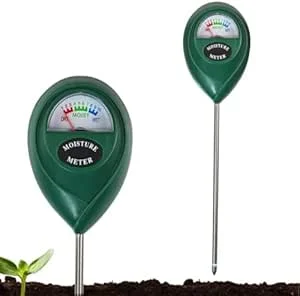 Soil moisture meterHelps check whether the root zone is actually ready for water.View on Amazon (paid link) ↗
As an Amazon Associate, HomePlantBot may earn from qualifying purchases.
Checking Electrical Ratings and Using Surge Protectors Safely
Before plugging in any device, check that the smart plug can handle it safely:
- Wattage: Make sure the plug’s watt rating matches (or exceeds) your grow light or humidifier.
- Amperage: Older or analog humidifiers may draw more amps—check the label.
Safe Use of Surge Protectors
- Use grounded surge protectors to prevent power surges from damaging lights or plugs.
- Do not daisy-chain or piggy-back multiple high-wattage devices through a single plug.
Preventing Over-Humidification and Conserving Energy
Automatic doesn’t mean always-on. Over-humidifying your plant space can invite mold, fungus gnats, or root rot.
Best Practices
- Use timers to limit humidifier runtime
- Only run during dry periods or low-humidity days
- Pair with a humidity meter (hygrometer) to monitor levels
Energy Tip: Aim to run a humidifier only when ambient humidity drops below 45%–50% for most plants.
Combining Smart Plugs with Sensors for Responsive Automation
If you want your system to adjust itself based on real-time conditions, smart sensors can add powerful automations:
Helpful Add-ons
- Humidity sensors
- Temperature monitors
- Light sensors
- Smart hubs like Samsung SmartThings or Hubitat
Example Automation
- Humidifier activates only when humidity drops below 45%
- Grow lights turn on only if ambient light is low during set times
These enhancements help reduce energy waste and fine-tune your setup to your plant’s real needs—not just the clock.
Troubleshooting Connectivity and Firmware Updates
Smart plugs are reliable—but occasional tech hiccups happen. Here’s what to watch for:
Common Issues
- Lost Wi-Fi connection
- Old app versions causing failed schedules
- Device suddenly stops responding
Solutions
- Keep devices within range of your Wi-Fi router or use a Wi-Fi extender
- Regularly update your controller app and the plug’s firmware
- If schedules stop syncing, try removing and re-adding the plug to your account
Conclusion: Small Automations, Big Impact on Plant Care
Smart plugs and timers are powerful tools for consistent, stress-free plant care. Automating your lights and humidifiers helps your plants stay healthy with less manual effort—freeing you to enjoy them more.
Start small: Try automating your grow lights first. Once you’re comfortable, expand to humidifiers or even window blinds and fans. Over one season, you’ll learn what automation works best in your unique space.
For even more ideas, visit our full smart plant care guide.
Need help choosing the next care step?
If the symptoms in this article match your plant, use Plant Bot or the rescue checklist before buying anything. A quick diagnosis helps you fix the actual cause, not just the most visible symptom.
Quick decision checklist
- Increase light gradually to avoid scorch.
- Rotate the plant for even growth.
- Water less in lower light.
- Watch color and leaf posture for feedback.