
HomePlantBot care guide
App‑Based Care Schedules & Reminders
From leafy monsteras to tidy succulents, houseplants have become a staple in modern homes and workspaces. But as more people embrace greenery, they also discover the less glamorous side of plant parenthood: remembering when to water, feed, or repot can be tricky—especially with a busy lifestyle.
What you’ll learn in this article
- Discover how digital tools simplify plant care routines
- Learn the key features of app-based schedules and reminders
- Understand how to set up personalized care plans for your plants
- Explore smart sensors and community integrations
- Evaluate the pros and cons of relying on plant care apps
Affiliate disclosure: HomePlantBot may earn from qualifying purchases through the Amazon links below, at no extra cost to you.
Introduction
That’s where app-based care schedules and reminders come into play. With the rise of mobile tools designed to help plant owners manage daily, weekly, and seasonal tasks, keeping your indoor jungle thriving has never been easier.
In this guide, we’ll explore the practical benefits of plant care apps, highlight must-have features, and show you how to get started—whether you’re a beginner or an experienced enthusiast looking to streamline your routine.
Why Use an App to Manage Plant Care Tasks and Reminders
Healthy plants love consistency. Keeping track of all your plants and their needs manually can lead to mistakes—overwatering, forgotten feedings, or missed pruning windows. Digital care apps help by offering structured and flexible schedules tailor-made to your greenery’s needs.
- Consistency: Apps help you establish watering routines and ensure no plant is forgotten.
- Customization: Reminders can be adjusted to your environment, plant types, and habits.
- Convenience: Great for beginners, multitaskers, or forgetful caretakers—set it and let the app nudge you when it’s time for action.
The result? Happier, healthier plants with less hassle.
Key Features to Look For in a Plant Care App
Customizable Watering Schedules
Not all plants—or their pots and placements—are created equal. Good apps let you adjust watering frequency based on:
- Plant species (e.g., tropical vs. desert plants)
- Pot size and material (ceramic retains water differently than terracotta)
- Sunlight and humidity levels in your space
Fertilizer Reminders and Logs
Proper feeding supports growth, flowering, and overall plant health. Apps can remind you:
- When and how to fertilize each plant
- Which products or methods to use
- To pause feeding during dormant seasons
Logged fertilization history also prevents overfeeding—one of the most common mistakes indoor gardeners make.
Calendar View of Tasks
Look for a visual overview of your month’s plant care schedule. A color-coded calendar can help you quickly scan what’s due today, what’s coming up, and what you might have missed:
| Date | Task | Plant |
|---|---|---|
| June 5 | Watering | Snake Plant |
| June 7 | Fertilize | Pothos |
| June 12 | Prune | Fiddle Leaf Fig |
Entering Your Plant Inventory with Photos and Notes
Start by cataloging your plant collection. Most apps allow you to:
- Enter plant species and nickname (e.g., “Fernanda” the Boston Fern)
- Add light, humidity, and location notes
- Attach real photos of your plant upon arrival and at regular intervals
- Include care advice from nursery tags or online resources
This makes it easy to spot changes over time and provide better long-term care.
Setting and Adjusting Reminders for Tasks Like Pruning and Repotting
Occasional tasks—like pruning dead leaves or repotting root-bound plants—are essential for long-term health but easily forgotten.
By setting reminders for these less frequent to-dos, you can stay on top of care cycles. For example:
- Fiddle Leaf Figs: Prune in late spring to encourage a bushier shape.
- Succulents: Repot every 12–18 months once roots outgrow their pots.
Apps typically allow you to snooze or adjust recurrence, giving you flexibility to fine-tune timing based on observation and progress.
Helpful products for this care problem
Helpful products for this plant care problem
If this is the issue you are solving, these tools can make the next step easier. They are optional, but they match the care problem covered in this article.
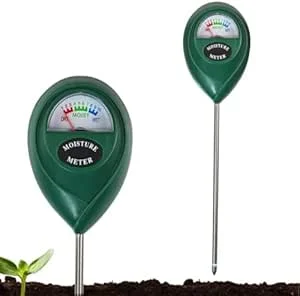 Soil moisture meterHelps check whether the root zone is actually ready for water.View on Amazon (paid link) ↗
 Digital hygrometerHelps track humidity and temperature around sensitive plants.View on Amazon (paid link) ↗Clip-on grow lightUseful for dim rooms, winter care, and plants stretching toward light.View on Amazon (paid link) ↗
As an Amazon Associate, HomePlantBot may earn from qualifying purchases.
Tracking Growth with Photo Journals and Timeline Features
Watching your plants grow is one of the most rewarding parts of caregiving. Apps that offer photo timeline functionality allow you to:
- Capture new leaves, blooms, and signs of improvement
- Spot subtle signs of decline, pests, or disease
- Stay motivated by seeing measurable results over time
Some apps automatically generate a visual growth chart or time-lapse reel from your photos—a beautiful bonus!
Engaging with Community Support and Plant Identification Features
Many apps expand your plant care journey beyond simple scheduling. Community features include forums, troubleshooting help, and AI-powered identification tools. Highlights include:
- Plant ID: Snap a photo, and the app tells you the species
- Care Suggestions: Get crowdsourced tips for problem-solving common issues like yellowing leaves or gnats
- Social Features: Share progress, compare care strategies, and learn from experienced growers
Especially helpful when you inherit an unknown plant or face a puzzling decline with no obvious cause.
Integrating Sensor Data and Smart Devices into App Ecosystems
For tech-savvy plant parents, many apps now integrate with smart sensors to automate data collection and response. These include:
- Smart pots and meters that measure real-time soil moisture
- Light and humidity sensors that monitor conditions within your space
- App automation—so reminders adjust based on actual environment
To explore app-compatible hardware and automation tips, visit our guide to smart automated plant care.
Pros and Cons of Relying on Apps for Plant Care
Pros
- Convenient: One-touch reminders eliminate mental overhead
- Reliable: Reduces chances of forgetting a care task
- Educational: Great learning tool for new plant owners
Cons
- Over-Reliance: Apps can’t physically assess your plant’s soil, pests, or sun needs
- Limited Databases: Some apps may not recognize rare or exotic species
- Subscription Cost: Premium features like smart integration or photo tracking may require a purchase
Conclusion: Making the Most of Digital Helpers
Plant care apps won’t water your plants for you—but they come close. They simplify routines, prevent mistakes, and keep care manageable, especially for beginners or busy owners. By choosing the right tool and entering thoughtful information, you’ll unlock a smarter, less stressful approach to keeping your greens lush and thriving.
Don’t be afraid to test a few apps to find the best fit. Some offer free trials or starter features. And if you’re ready to take the next step, explore our guide to smart automated plant care and see how technology can take your plant game to the next level.
Bonus: Downloadable Checklist
5 Things to Enter in Your Plant App Today:
- Plant name and species info
- Last and next watering date
- Sunlight/exposure conditions
- Photo of plant on Day 1
- Notes on any current problems or tips
Need help choosing the next care step?
If the symptoms in this article match your plant, use Plant Bot or the rescue checklist before buying anything. A quick diagnosis helps you fix the actual cause, not just the most visible symptom.
Quick decision checklist
- Check the growing conditions before changing everything.
- Adjust one care factor at a time.
- Use symptoms to guide the next step.
- Give the plant time to respond after corrections.